

As tax season approaches, businesses are focused on preparing financial documents, filing returns and meeting tight deadlines. Unfortunately, cybercriminals see this busy season where business owners and employees are preoccupied as the perfect opportunity to strike.
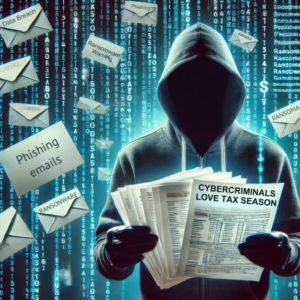
Most hackers are looking for ways to exploit sensitive data, scam businesses and create chaos. In today’s blog we’ll share why tax season provides cybercriminals with a huge advantage and how you can stay one step ahead of them.
Why Tax Season Attracts Cybercriminals
1. Increased Exchange Of Sensitive Data
Tax season involves sharing sensitive financial and personal information – both within your organization and with external parties like accountants or payroll providers. This creates multiple points of vulnerability for hackers to exploit, especially through fake e-mails.
2. Tight Deadlines Lead To Mistakes
Under pressure to meet deadlines, employees may be less vigilant about double-checking e-mails, links or file attachments. This makes it easier for phishing scams and malware to slip through.
3. Higher Volume Of E-mails
During tax season, businesses handle a flood of e-mails related to forms, payment requests and compliance updates. Cybercriminals capitalize on this by crafting convincing phishing e-mails that appear legitimate to intercept that sensitive data.
4. Widespread Scams Targeting Taxpayers
Hackers often impersonate trusted entities like the IRS or tax preparation services to trick businesses into sharing confidential information or making fraudulent payments.
Common Tax Season Threats You Need To Watch Out For
- Phishing E-mails: Fraudulent messages claiming to be from the IRS, your bookkeeper or a tax service, asking for sensitive information or directing you to malicious links.
- Fake Invoices Or Payment Requests: Scammers send fake invoices or payment demands to trick businesses into wiring money.
- Ransomware Attacks: Hackers may encrypt critical financial data and demand payment to release it.
- Social Engineering: Phone calls or e-mails impersonating accountants, payroll providers or other trusted contacts to extract information.
How To Protect Your Business This Tax Season
1. Train Your Team
Educate employees about the latest scams and how to recognize phishing attempts. Teach them to:
- Verify e-mail senders before opening attachments or clicking links.
- Be cautious of urgent payment requests or unusual account updates.
- Report suspicious e-mails immediately.
2. Secure Your Communications
Ensure all data exchanges are encrypted, especially when sharing sensitive tax documents. Use secure portals or file-sharing tools instead of e-mail whenever possible.
3. Implement Multifactor Authentication (MFA)
Require MFA for access to financial systems, e-mail accounts and any platforms used for tax-related activities. This adds an extra layer of security, even if credentials are compromised.
We cannot stress the importance of this feature enough. If your password is compromised, this can help save you. If it’s an available feature on any account you have, please set it up.
4. Conduct A Cybersecurity Audit
Work with your IT provider to identify vulnerabilities in your systems before hackers can exploit them. Focus on:
- Updating software and applying patches.
- Securing network endpoints and devices.
- Verifying data backup integrity.
5. Verify All Financial Requests
Double-check payment requests, especially those involving large sums or sensitive accounts. Confirm via a second communication method (e.g., a phone call) to ensure authenticity.
Don’t Let Hackers Score This Tax Season
Tax time doesn’t have to be open season for hackers. By staying vigilant, educating your team and implementing proactive cybersecurity measures, you can protect your business from becoming a victim.
Let’s make sure the only thing you’re filing this season is a successful tax return – not a cybersecurity incident report. Start with a FREE Network Assessment to uncover potential vulnerabilities and ensure your systems are ready to handle whatever comes your way.
Click here to schedule your FREE Network Assessment now!